January 2026 Releases
Recurring Donations
In addition to one-time donations, the Levitate Donation Survey can also be used to collect monthly or annually recurring donations.
Donation Surveys can be configured to collect recurring donations. One survey can collect both one-time, monthly, and annual donations– one, some, or all. Just like with one-time donations, set price amounts can be provided for giving, and custom amounts can be accepted.
Read more about Recurring Donations here.
Read more about setting up Stripe to collect donations here.
Custom Survey Submit Button
We changed the Custom Survey submission button from ‘Submit Survey’ to ‘Submit’ to better serve more use cases.

Read more about Custom Surveys here.
Search Contacts by City, State, and Zip
We’ve added a new Advanced Search capability that lets users search for contacts by city, state, and zip code. There is a new Location section in Contacts with search boxes for each field. We’ve also updated the AI Assistant to answer questions about contacts by location.

When sending a campaign, users can now filter by City, State, and Zip Code when selecting the campaign's audience. To do so, choose Advanced Filters, then select Location.

AI Assistant Updates
Speech to Text for AI Prompting
Instead of typing a prompt, Levitate users can now click the new Microphone icon in the AI Assistant to verbally prompt the assistant! This works just like in your phone’s text messaging app: click the microphone, and as long as the machine the user is on has a mic, their question can be picked up and transcribed into the Levitate AI Assistant.

New Stop Button
Now users can stop the AI Assistant mid-response. Especially helpful if you need to ask another question or update your question. Previously, users had to wait for the AI Assistant to finish its response before moving to the next prompt.

Event Reporting Status Update
Now, when checking out event reporting, the event's date is shown instead of the status. If the date is in red, the event has already happened.

Team Meeting Links Override
A bulk editing function has been added for team meeting links. This allows account Admins and Super Admins to select multiple team members and apply consistent meeting settings– duration, time slots, max per day/month, max days out, reminder template– in a single swoop.

Read more about Team Meeting Links here.
Holiday Observance for Email and Text Sends
When enabled, this new setting will prevent non-timely (i.e., birthday or meeting reminder) automations from sending on holidays. Account Admins and Super Admins can access the new setting through Settings > Admin > Company Settings
When the setting is enabled, campaigns will automatically pause on New Year’s Day, Easter, Memorial Day, Independence Day, Labor Day, Thanksgiving Day, and Christmas Day.
Read more about Holiday Observance setup here.
User Groups: Survey Permissions
In addition to Automations, Admins and Super Admins can now create User Groups to better control how account users can access all survey types. Instead of basing access to these surveys on user type (e.g., Limited User, User, Admin, or Super Admin), the User Groups feature allows Admins and Super Admins to control which users can access Surveys.
Read more about and watch how to find, create, and edit User Groups.
Access Survey Report through Survey Editor
Previously, users had to navigate away from the survey editor to access the survey's reporting. Now, there's a new button that takes the user directly to the survey's report.

Updated Advanced Reporting for Donations
We've completely revamped advanced reporting as a visual dashboard for Donations. To check this out, go to the Donation Board and click on the Advanced Reporting button at the top of the board.
The new dashboard includes the same filtering criteria as the Donation Board, rollups of total donation amounts, and visuals.


Custom Phone Number Labels on Contact Profiles
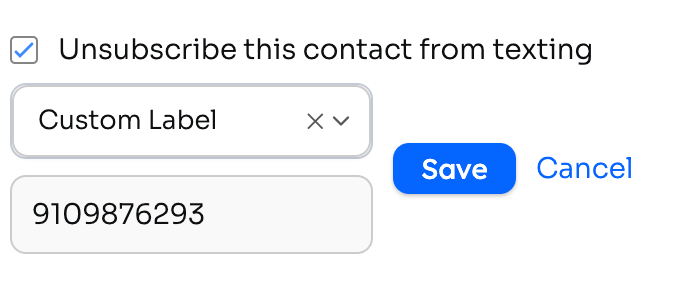
This update adds the ability to create custom labels for a contact’s phone numbers. Users can now enter custom labels for phone numbers instead of using only the default options.
Using Company Tags to Filter Contacts
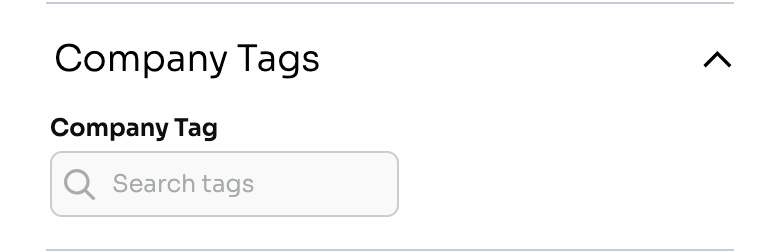
This update allows Company Tags to be searched for in reference to Contacts within a Company, using a new Advanced Filter option in Contacts and Campaigns. This filter will look at the contacts associated with a company.
Updated Advanced Reporting for Policies
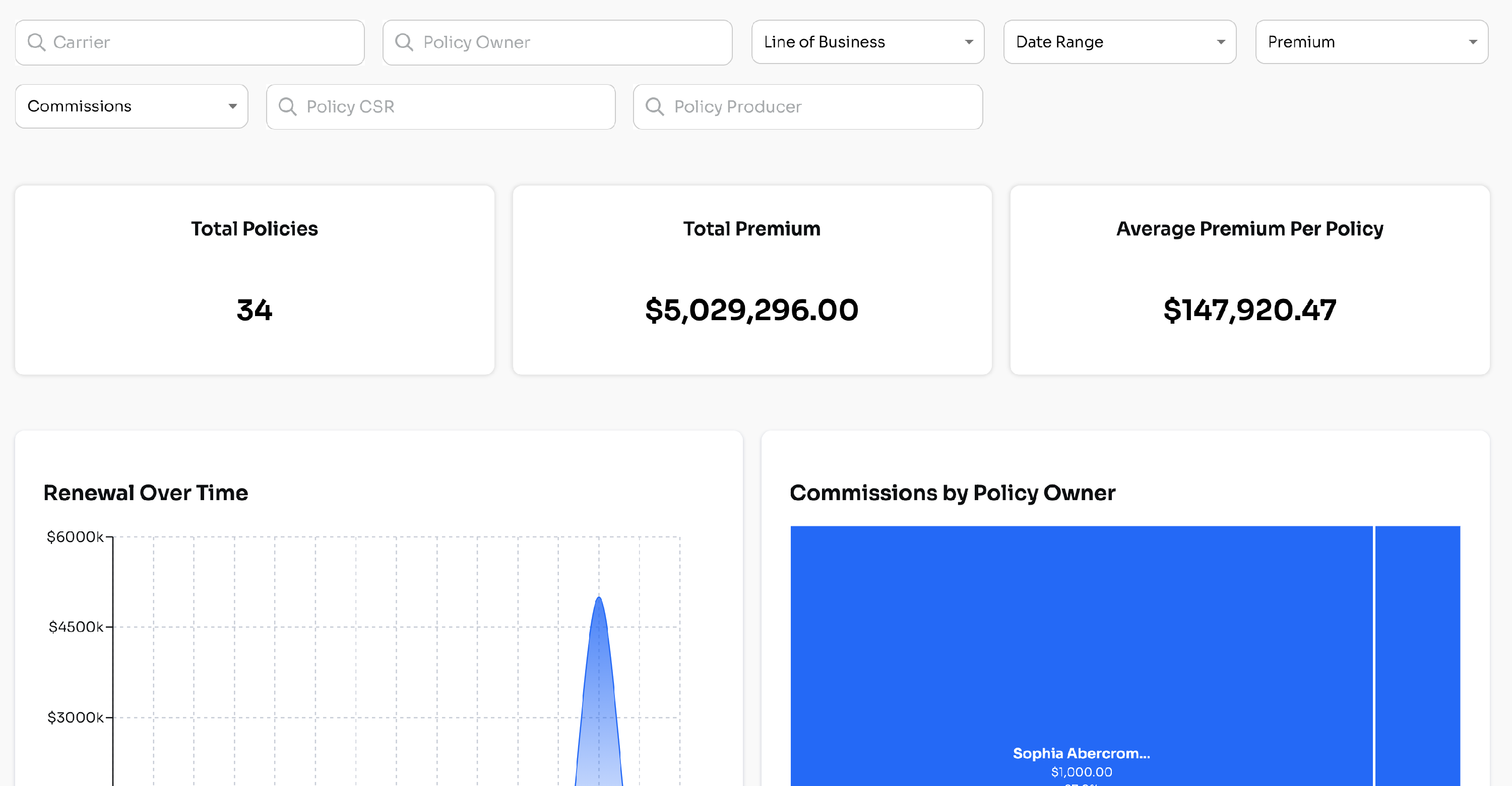
Just like with Donations, we've revamped advanced reporting for Policies. To check this out, go to the Policy Board and click on the Advanced Reporting button at the top of the board.
The new dashboard includes the same filtering criteria as the Policy Board, rollups of total premium amounts, and visuals on renewals.