
Cetera + Levitate
Cetera accounts are marked internally, account by account, to appropriately apply the limitations and disclosure areas outlined here.
Cetera and Levitate's AI Assistant
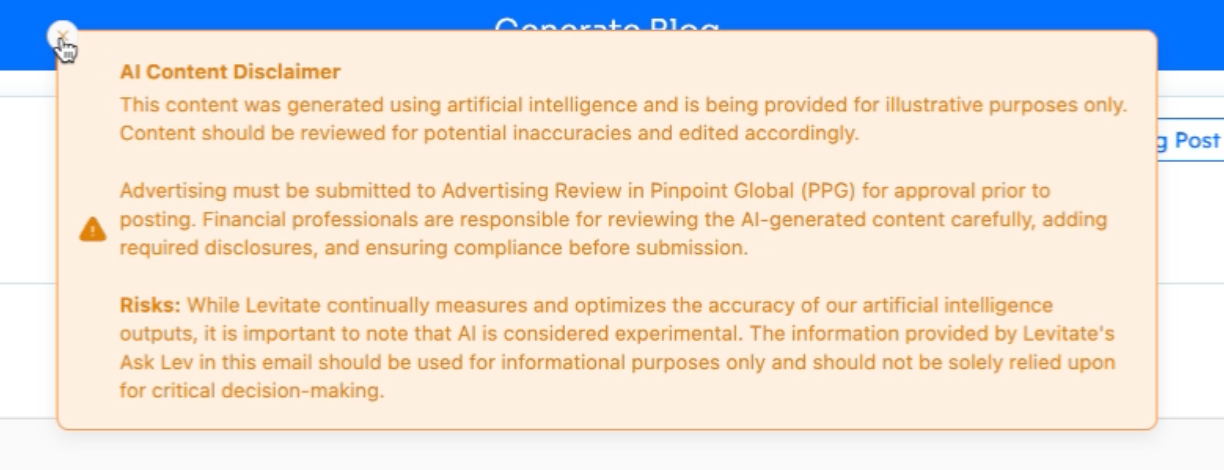
For Cetera accounts, AI Assistant access is available for Levitate-related questions and content generation. There are limitations on how the AI Assistant can be used for content generation, and each time content is created using Levitate's AI Assistant, a new notification will appear. Cetera users cannot access Levitate's translation tool when creating content as part of these updates.
Disclosures
If you're a Financial RIA whose Broker-Dealer is Cetera, you must set up a disclosure to send with your text messages sent through Levitate and a disclosure that will show on your Levitate meeting scheduling pages. Here, we'll illustrate how to set them up and what is required.
Texting Disclosure
Navigate to your Levitate dashboard
Click your name in the upper right corner to show the settings menu, and choose Settings
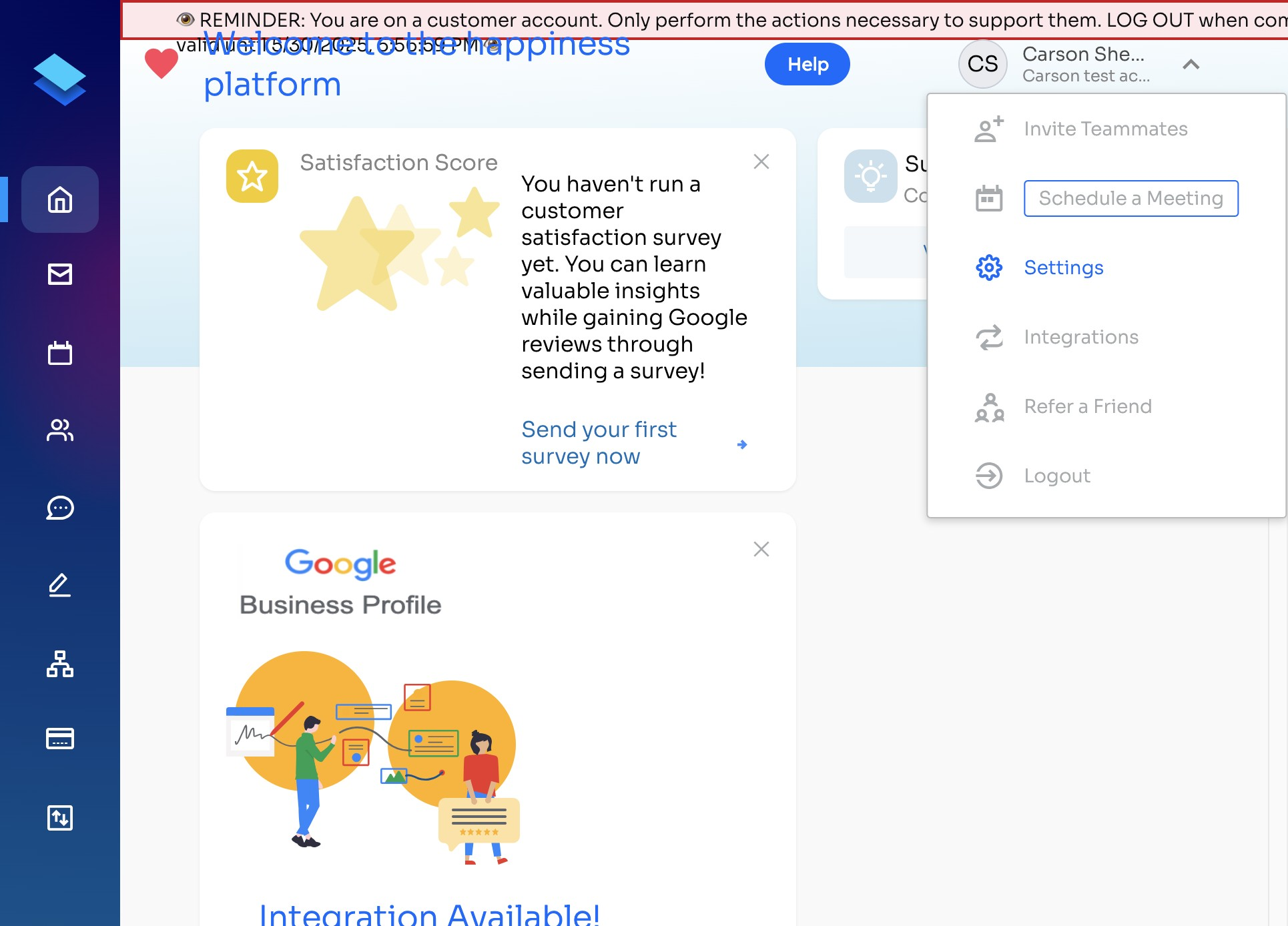
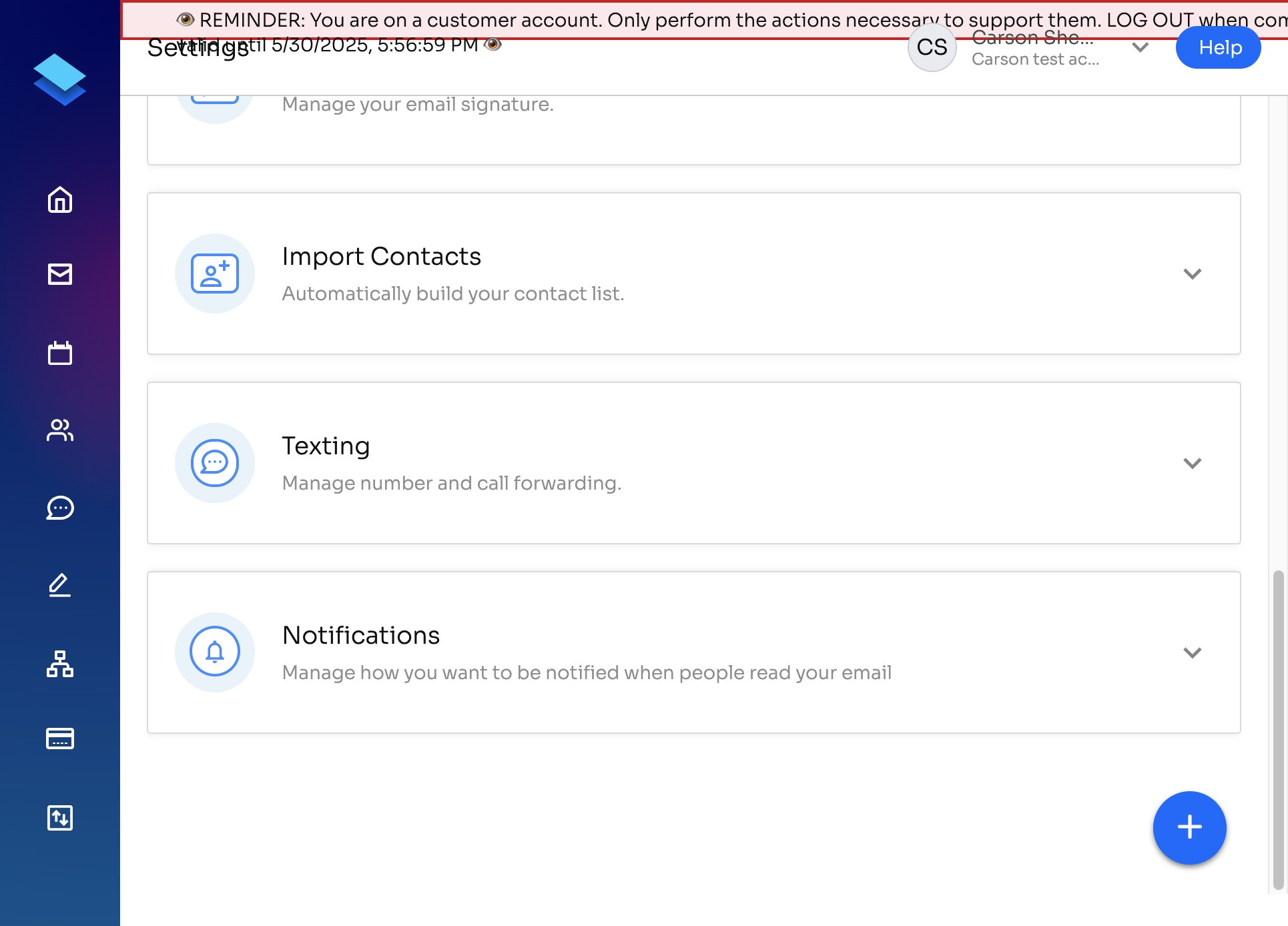
In settings, navigate to Texting
There, you will see 'First Text Meeting Signature and Disclosure'— this is where you will fill out your identifying information and disclosure for Cetera.
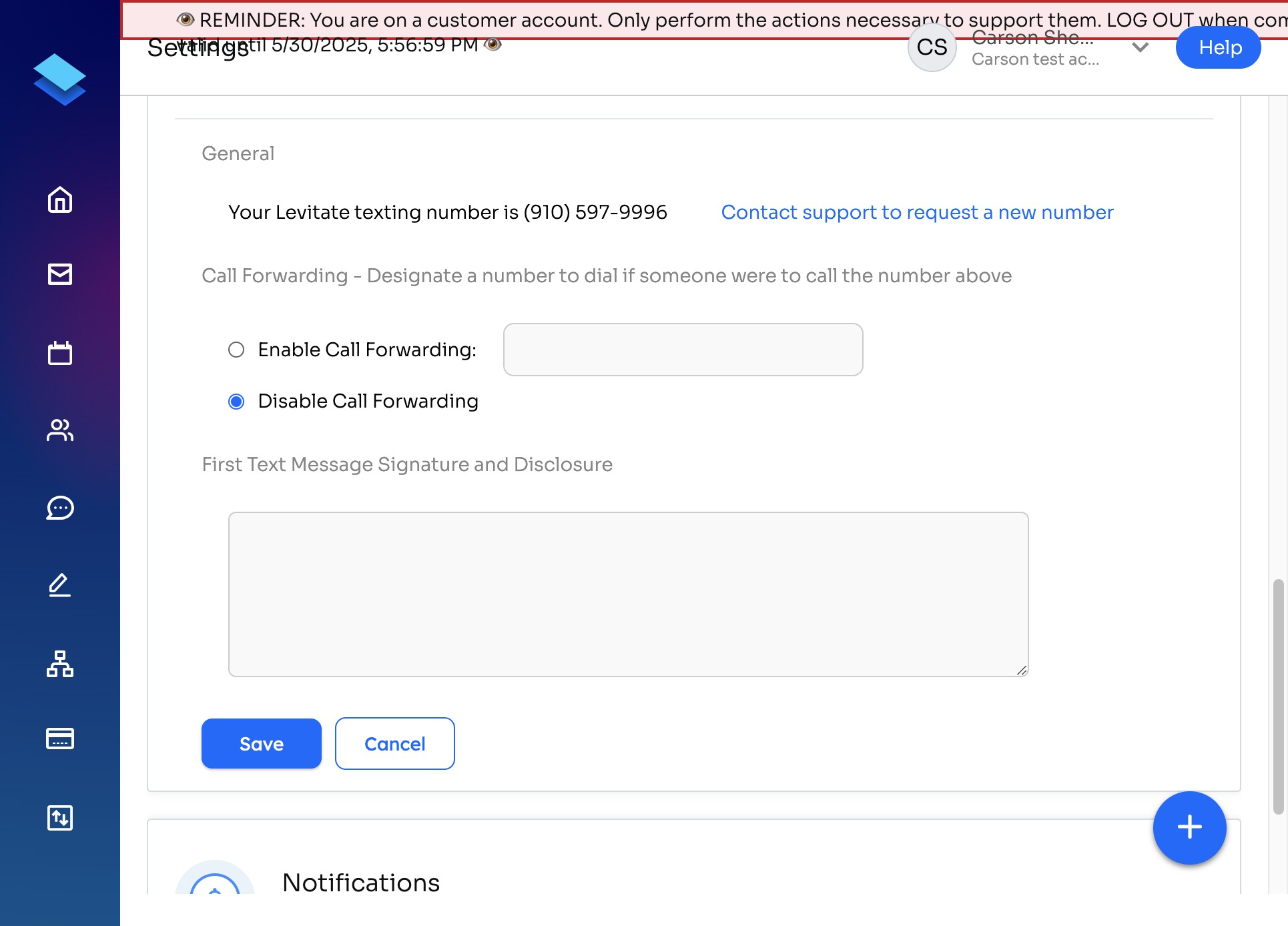
This is how it should be formatted:
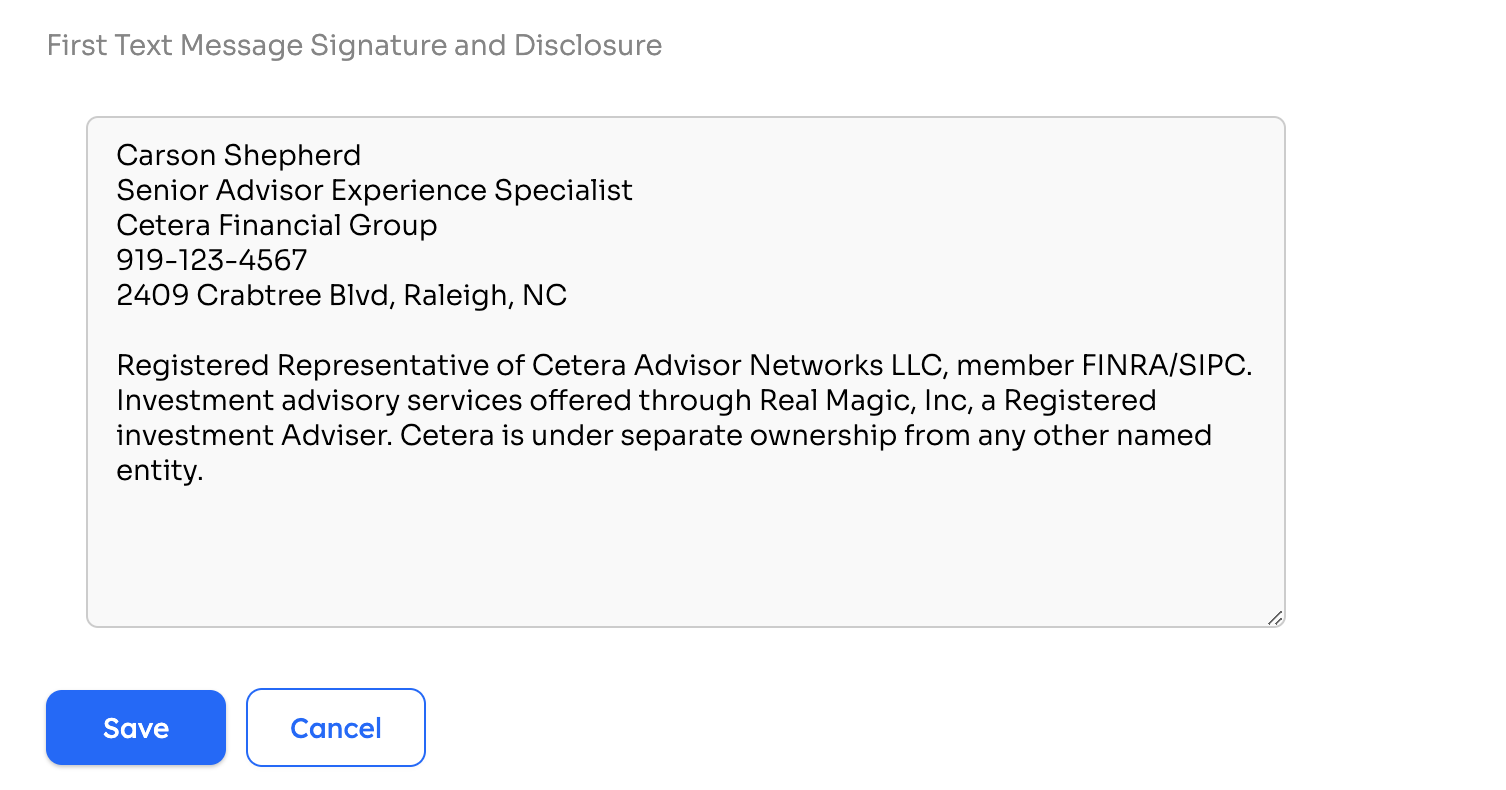
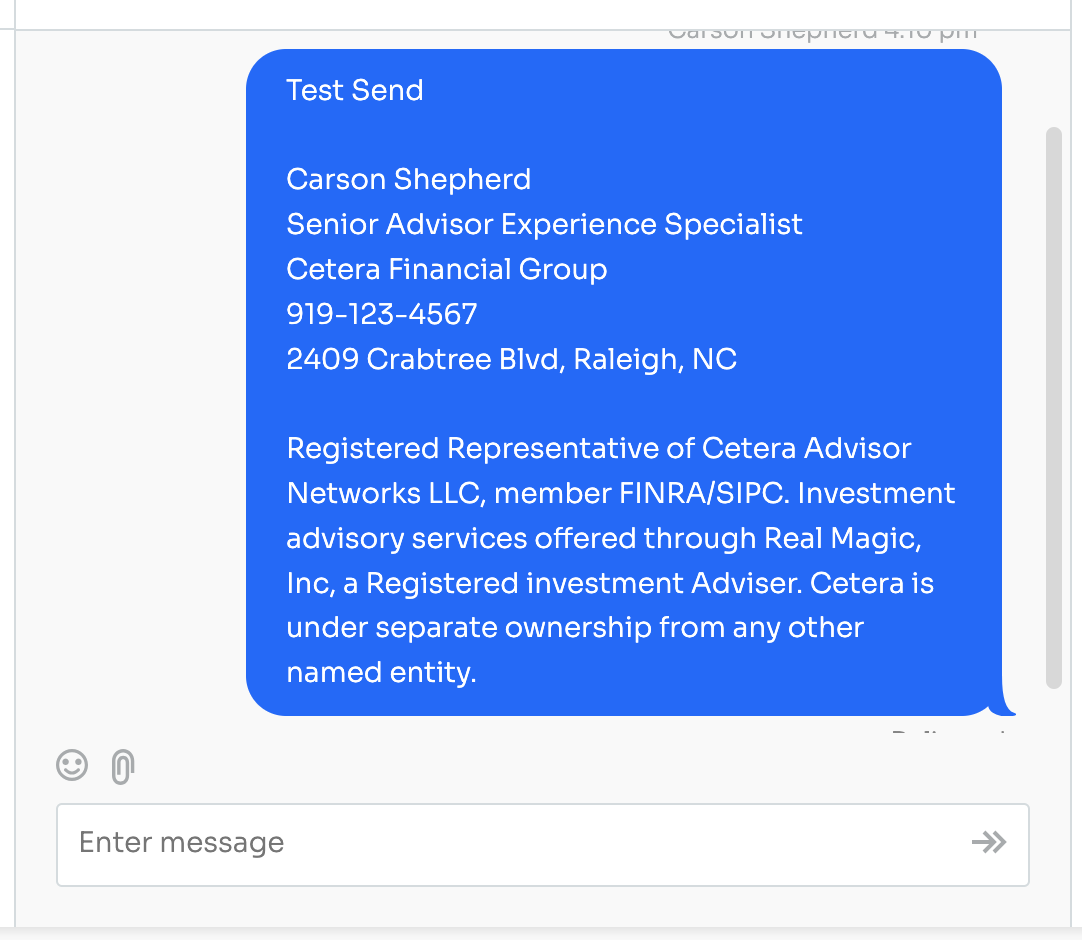
Once you hit Save, this text will be added as a part of the first text you send out to a contact through Levitate. Here's what a text with this information looks like:
Meeting Booking Pages
Click your name in the upper right corner to show the settings menu, and choose Settings. And from there, you will choose Profile.
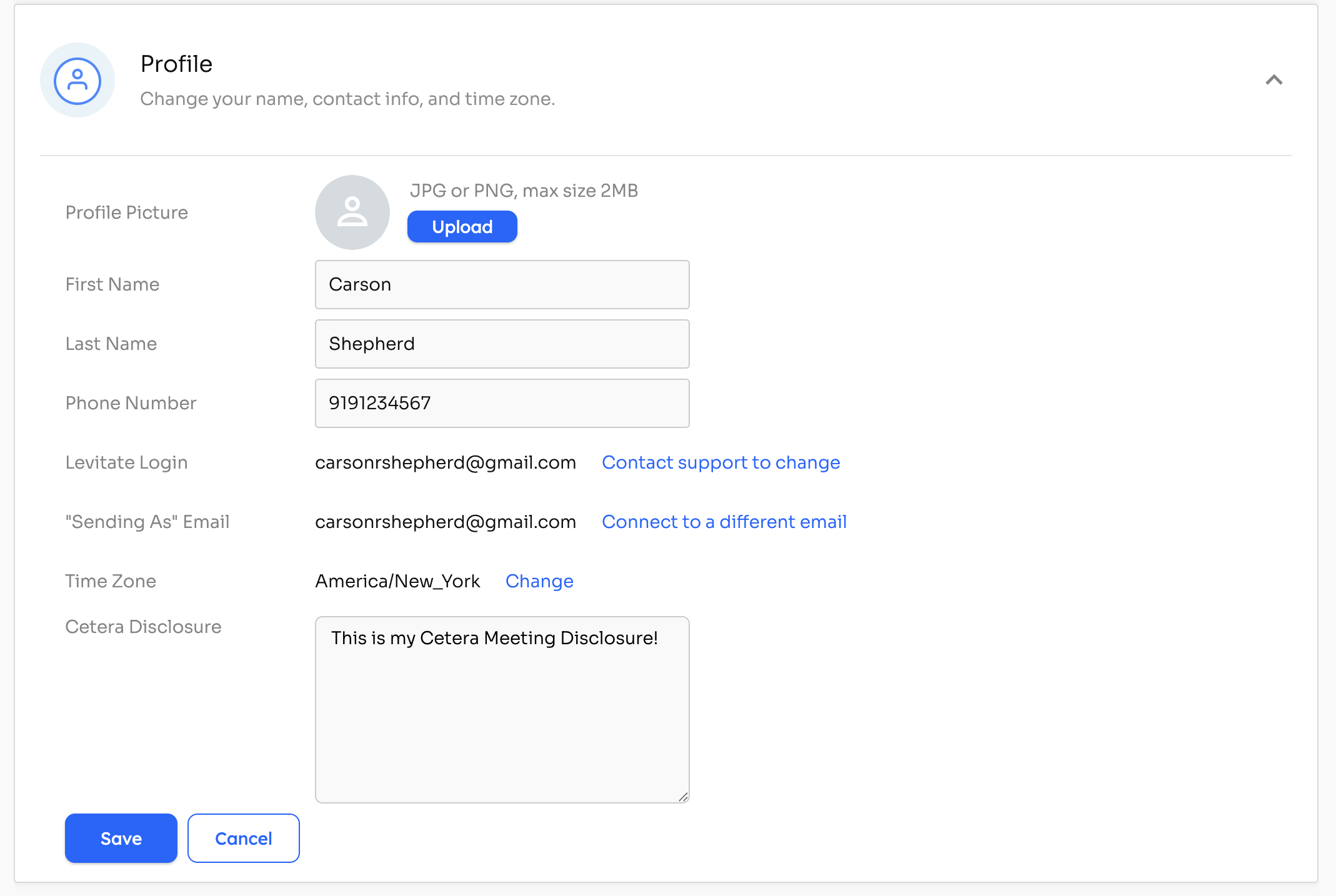
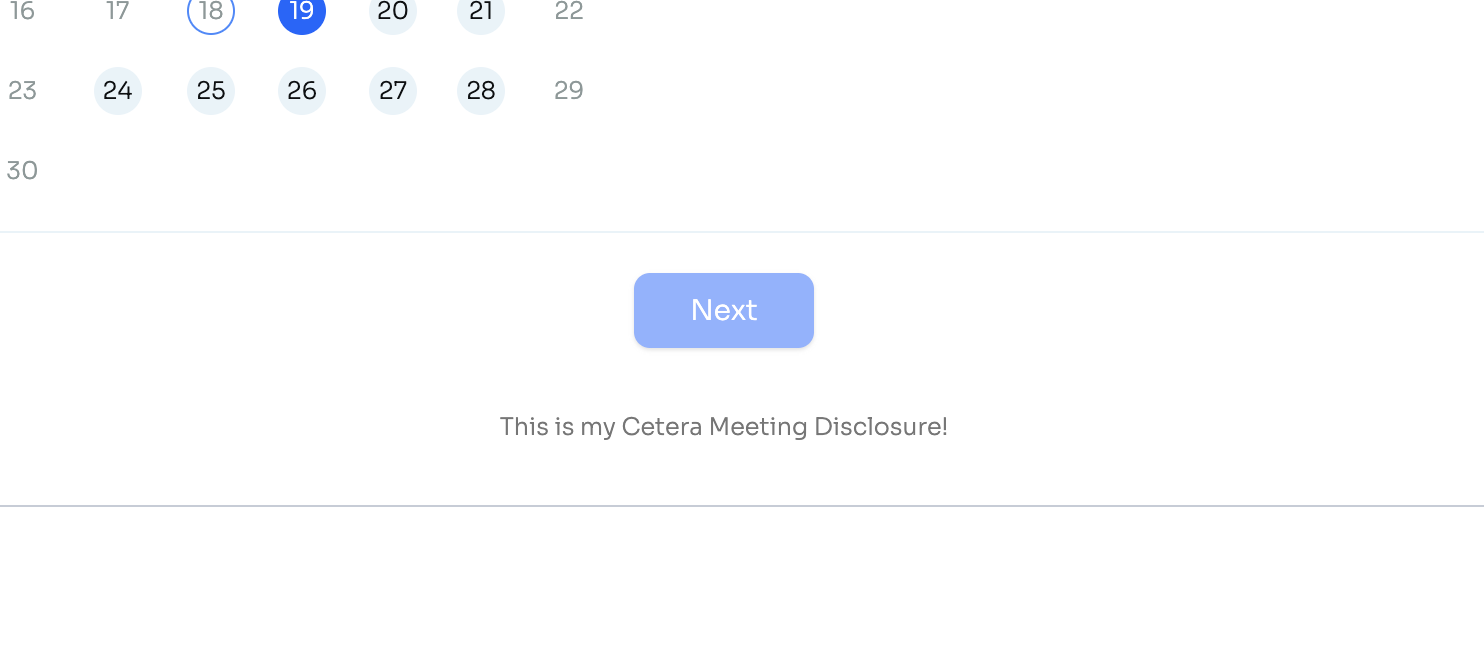
There is a text box labeled "Cetera Disclosure." There, you will add your Cetera-approved meeting disclosure. This is what it will look like on each meeting schedule page:
From Cetera— here are the specifics as to what needs to be included:
- Your Full Name
- Cetera Approved Title
- Your specific Broker Dealer Disclosure
- Registered Address
- Registered Phone Number
Still have questions? Reach out to your Success Specialist directly!